
Field entry · AI Media Generation
PicVane
AI Face Cutout for transparent head PNGs and stickers
- Community votes
- 0
- DR by Ahrefs
- 12 no change since last check
Ahrefs Domain Rating surveyed 22 Nov 2026, shifted 20 Nov 2026.
Field entry · AI Media Generation
AI Face Cutout for transparent head PNGs and stickers
Ahrefs Domain Rating surveyed 22 Nov 2026, shifted 20 Nov 2026.
An AI tool that creates transparent head cutouts from portraits by keeping the face, hair and ears together for use in stickers, cards and collages.
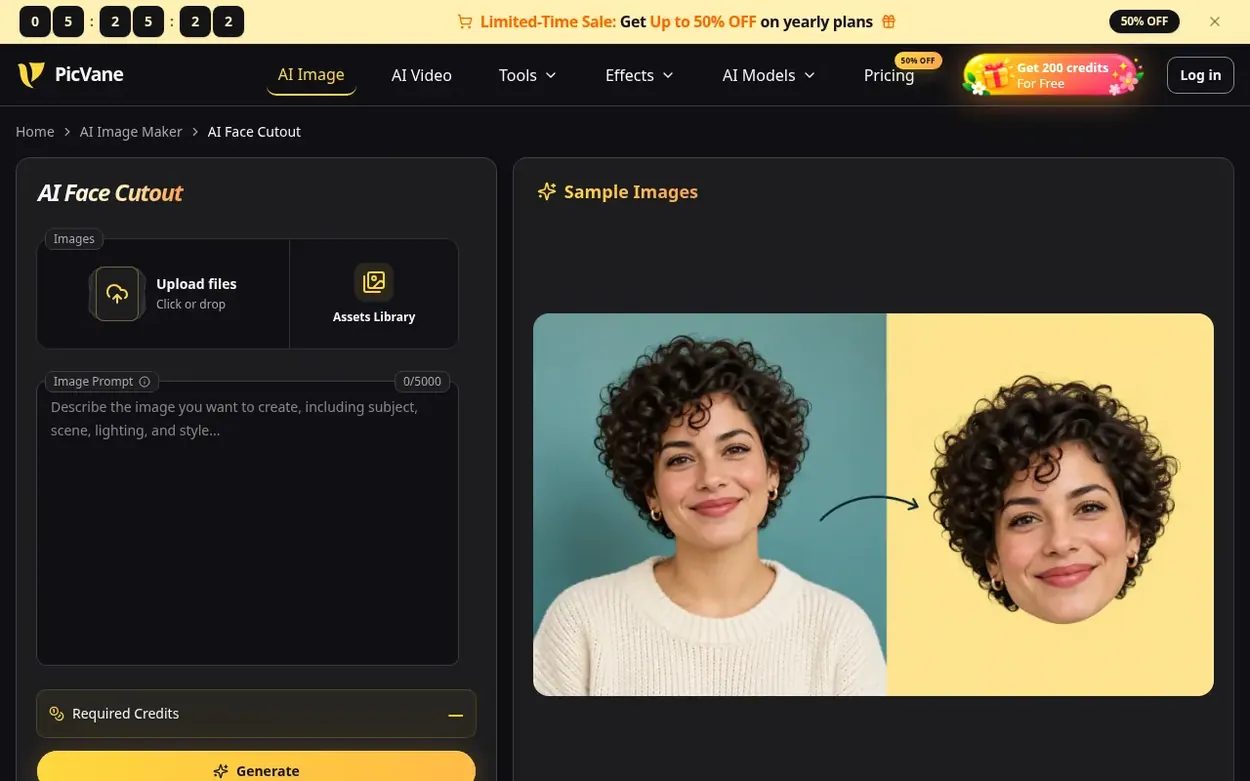
PicVane is an independent AI creative studio offering browser-based tools to edit images, generate images from text, and create short videos. The AI Face Cutout tool helps people isolate faces from portraits by keeping the head, hair, ears and chin together while removing the neck, shoulders and background, creating transparent PNGs ready for use in designs, stickers, birthday cards and personal collages. The tool works by uploading a portrait, describing the head boundary in a prompt, and reviewing the outline before saving the PNG. Generated results can be placed into video editors as overlays or used in print layouts as artwork.
Pricing model: Freemium
Free plan with welcome credits; Lite $8.3/month or $100/year; Pro $30.0/month or $360/year; Ultra $49.9/month or $599/year. Pay Once Credit Packs available with 50% bonus for active subscribers.
Following PicVane means an email when they reach a milestone, post an update or launch a new product.
Survey readings for picvane.com: Ahrefs Domain Rating and Majestic link counts, with the drift since the previous survey.
Ahrefs Domain Rating surveyed 22 Nov 2026, shifted 20 Nov 2026. Dominant topic found: Business/Industrial Goods and Services (5). Majestic surveyed 20 Nov 2026, shifted 20 Nov 2026. Link counts gathered by Majestic. Trust Flow, Citation Flow and Topical Trust Flow are trademarks of Majestic-12 Ltd.
Checked 21 Nov 2026, 04:42 UTC from the public RDAP record.
PicVane went live on Discovera Launch on 20 November 2026. Here is what our readings show since then.
Day 2 since launch. Next receipt: day 30, 20 Dec 2026. These are measurements, not proof of cause: many things move these numbers. Figures we have not measured are left out.
A free checklist for launch day and the week around it, with a list of launch directories.
See the alternatives to PicVane, AI Wallpaper vs PicVane, PicVane vs DynamiHost, PicVane vs Aifaceswap, more in AI Media Generation.
If your favorite expression is in a group photo, use the Crop tool in the image preview to frame that person before continuing. Include the full hairstyle and both visible ears with a little space around the head. Keep nearby faces outside the crop so the intended subject is clear, as overlapping faces can obstruct the outline.
Background removal keeps the whole visible subject including body and clothing, while a head cutout has a narrower boundary that keeps only the head and excludes the neck and shoulders. A rectangular crop changes the frame but can still contain background pixels around the hair.
The viewer may be showing transparency against white, or the export may have filled the empty area. Reopen the original file as a layer over a colored image to tell the difference. Some sharing and editing steps flatten images, so preserve the original PNG and inspect a shared copy before using it elsewhere.
Use the original portrait rather than a filtered screenshot, and describe removal instead of transformation. Ask to keep the eyes, mouth, hairline and expression while changing only the surrounding area. A head cutout is about isolating the person's existing appearance without applying a new face, beauty filter or expression.
A head PNG is a still image. You can place it into a video editor as an overlay or into a print layout as artwork, but this tool does not animate it or produce a physical object. For print, confirm size and image quality with your printer; for video, keep the transparent original so the editor can place it above the footage.
No field notes on PicVane yet. Leave the first review. Reviews are free to write and can never be bought.
PicVane has a free listing. The owner can unlock the full profile with a paid launch for $5:
 Aifaceswap
Free AI face swap for photos, videos and GIFs without sign-up or watermarks
 DynamiHost
Dynamic QR codes you can edit after printing, with scan analytics and smart routing
 AI Wallpaper
Browse, generate, and download live wallpapers for iPhone, Android, and PC