
Field entry · Browser Extensions & Plugins
PinBoardSaver
Download entire Pinterest boards in one click
- Community votes
- 0
- DR by Ahrefs
- 22 no change since last check
Ahrefs Domain Rating surveyed 22 Nov 2026, shifted 21 Nov 2026.
Field entry · Browser Extensions & Plugins
Download entire Pinterest boards in one click
Ahrefs Domain Rating surveyed 22 Nov 2026, shifted 21 Nov 2026.
A tool to download complete Pinterest boards, sections, and individual pins as organized files, PDFs, or Figma-ready collections.
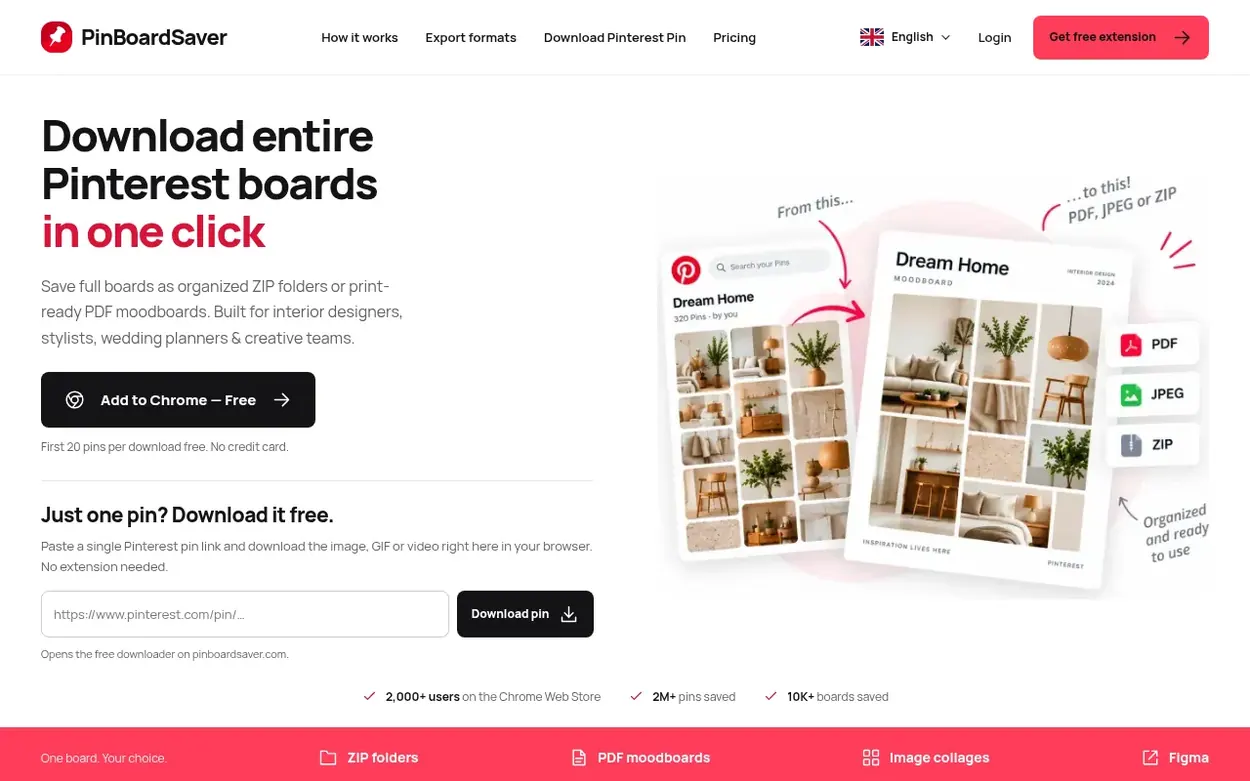
PinBoardSaver is a Pinterest downloader available as a Chrome extension and online tool. It lets users download entire Pinterest boards, individual sections, or hand-picked pins while preserving original quality and organization. Downloaded content can be saved as organized ZIP folders with sections preserved as subfolders, exported as print-ready PDF moodboards, combined into single image collages, or sent directly to Figma for design work. The tool handles images, videos, GIFs, and animations. The free plan allows downloading the first 20 pins per board; premium plans unlock unlimited downloads and full-profile access.
Pricing model: Freemium
Free: first 20 pins per download. Premium: Weekly $5.99/week, Annual $29/year (billed yearly), Lifetime $39 one-time. All premium plans include unlimited downloads, original quality, and priority support.
Following PinBoardSaver means an email when they reach a milestone, post an update or launch a new product.
Survey readings for pinboardsaver.com: Ahrefs Domain Rating and Majestic link counts, with the drift since the previous survey.
Ahrefs Domain Rating surveyed 22 Nov 2026, shifted 21 Nov 2026. Dominant topic found: Computers/Internet (3). Majestic surveyed 21 Nov 2026, shifted 21 Nov 2026. Link counts gathered by Majestic. Trust Flow, Citation Flow and Topical Trust Flow are trademarks of Majestic-12 Ltd.
Checked 22 Nov 2026, 14:07 UTC from the public RDAP record.
PinBoardSaver went live on Discovera Launch on 21 November 2026. Here is what our readings show since then.
Day 0 since launch. Next receipt: day 30, 21 Dec 2026. These are measurements, not proof of cause: many things move these numbers. Figures we have not measured are left out.
A free checklist for launch day and the week around it, with a list of launch directories.
See the alternatives to PinBoardSaver, more in Browser Extensions & Plugins or startups in Germany.
Install the PinBoardSaver extension, open the Pinterest board you want and click Start Download. The whole board is fetched and saved as a ZIP with folders matching the board's sections.
Yes, you can download all pins at once, restrict the download to particular sections, or tick individual pins by hand. The first 20 pins of every download are free, and premium removes the limit.
Yes, PinBoardSaver saves video pins as MP4 and keeps GIFs animated, all at the highest resolution Pinterest serves.
Boards can be exported as organized ZIP files, print-ready PDF moodboards, single image collages, or sent to Figma for design work. Images are available as JPG, PNG, or WebP.
Yes, pins download in parallel and the ZIP is assembled in your browser, so a big board takes minutes rather than queuing. Very large boards can be split by section.
No field notes on PinBoardSaver yet. Leave the first review. Reviews are free to write and can never be bought.
PinBoardSaver has a free listing. The owner can unlock the full profile with a paid launch for $5: